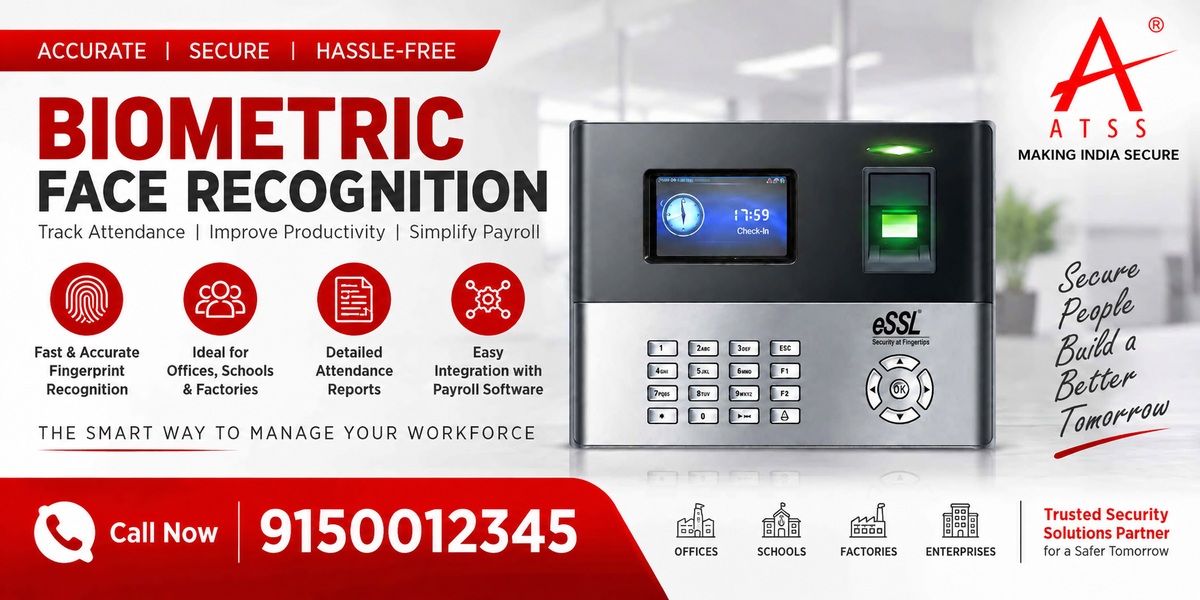
Biometric Face Recognition: Complete Guide for Businesses in India
This is where biometric face recognition can provide a more convenient approach. Instead of depending on cards or physical contact, a face recognition system can verify an employee using facial characteristics and automatically record attendance.
Imagine an office with 200 employees arriving within a short period. Some employees use access cards, others use fingerprint scanners, and HR later spends time checking attendance records and correcting errors.
Today, businesses across India are exploring face recognition for offices, factories, schools, hospitals, retail stores and other workplaces. However, choosing the right system requires more than simply looking at the device price.
In this guide, we will explain how face recognition biometrics work, their benefits, applications, important features, pricing factors and mistakes to avoid before installation.
What Is Biometric Face Recognition?
Biometric face recognition is an identity-verification technology that uses a person’s facial characteristics to verify or identify them.
A typical system includes:
- Face recognition camera
- Processing unit
- Biometric software
- Employee database
- Network connectivity
- Attendance or access-control interface
During employee registration, the system captures facial information and creates a biometric template. When the employee later approaches the terminal, the device compares the captured face with the registered information.
If the identity is successfully verified, the system can record attendance or, depending on the configuration, allow access through a controlled door.
This makes a face recognition biometric attendance system useful for organisations that want digital attendance without depending entirely on cards or fingerprint scanning.
How Does a Face Recognition Biometric System Work?
The process is relatively simple.
1. Employee Enrolment
The employee’s facial information is registered in the biometric system.
2. Face Detection
The camera detects a person’s face when they approach the terminal.
3. Face Analysis
The system analyses relevant facial characteristics and creates information that can be compared with the registered template.
4. Identity Verification
The captured information is compared with the stored biometric record.
5. Attendance or Access
After successful verification, the system records attendance or activates the connected access-control system.
Depending on the model, the device may also support fingerprint, card or PIN authentication.
Why Are Businesses Using Biometric Face Recognition?
Businesses are looking for attendance systems that reduce manual work while providing a convenient employee experience.
Here are some common benefits.
1. Contactless Attendance
One major benefit of face recognition is that employees generally do not need to touch the terminal.
This can be useful for workplaces where many employees need to mark attendance quickly.
2. Faster Employee Verification
A properly installed face recognition terminal can verify employees quickly.
This is particularly useful during peak entry and exit times when many employees arrive together.
3. No Physical Attendance Card
Employees do not necessarily need to carry an RFID or proximity card.
This reduces problems associated with:
- Lost cards
- Forgotten cards
- Damaged cards
- Card sharing
4. Digital Attendance Records
Instead of maintaining paper registers, organisations can maintain digital attendance records.
Depending on the software, administrators may be able to manage:
- Check-in and check-out
- Shift timings
- Late arrivals
- Absence
- Overtime
- Attendance reports
- Employee records
5. Access Control Integration
Some biometric face recognition systems can also be integrated with door access control.
For example, a business may configure a system so that an authorised employee is verified by face recognition before an electronic door lock is released.
This makes face recognition useful beyond simple attendance management.
Where Can Face Recognition Biometric Systems Be Used?
Face recognition can support different types of organisations.
Offices
Companies can use biometric systems for employee attendance and controlled entry.
Factories
Manufacturing facilities can use face recognition for employee attendance and shift management.
Schools and Colleges
Educational institutions can use biometric attendance for staff and selected administrative applications.
Hospitals
Hospitals can use biometric systems for employee attendance and restricted-area access.
Retail Stores
Retail businesses can use digital attendance systems to manage staff across different shifts.
Warehouses
Warehouses can combine employee attendance with access control for selected areas.
IT Companies
Large offices can use biometric systems to manage attendance for employees working across different departments.
The actual suitability depends on employee numbers, operating environment, security requirements and software integration.
Biometric Face Recognition vs Fingerprint Attendance
Businesses often compare facial recognition with fingerprint biometrics before making a decision.
| Feature | Face Recognition | Fingerprint |
|---|---|---|
| Physical contact | Generally contactless | Requires contact |
| Attendance card | Not required | Not required |
| User convenience | High | High |
| Hygiene considerations | Lower physical contact | Requires touching sensor |
| Environmental considerations | Lighting and positioning can matter | Finger condition can affect scanning |
| Access control | Available on selected systems | Available on selected systems |
| Multiple authentication | Available on selected models | Available on selected models |
| Software integration | Depends on system | Depends on system |
There is no single biometric technology that fits every workplace.
Therefore, organisations should consider employee volume, workplace conditions, security requirements and budget before choosing a system.
Biometric Face Recognition: What Should You Check?
People searching for biometric face recognition may find different terminals designed for attendance and access-control applications.
When comparing a Hikvision solution with other systems, don’t focus only on the brand name.
Check:
- Face capacity
- Verification speed
- Authentication methods
- Anti-spoofing features
- Attendance software
- Access-control compatibility
- Communication interfaces
- Network requirements
- Integration options
- Technical support
The exact specifications can vary significantly between models.
Therefore, always compare the requirements of your organisation with the specifications of the exact device being considered.
eSSL Biometric Face Recognition Systems
eSSL biometric face recognition solutions are another option businesses may consider for employee attendance and access management.
When evaluating eSSL or any other biometric brand, look at the complete solution rather than only the terminal.
Consider whether the system supports:
- Required employee capacity
- Attendance management
- Shift management
- Reporting
- Multiple authentication methods
- Network connectivity
- Software integration
- Access-control requirements
A suitable system should fit the organisation’s current requirements while also allowing reasonable future expansion.
What Is the Face Recognition Biometric Attendance System Price?
One of the most common searches is face recognition biometric attendance system price.
However, there is no universal price because the total cost depends on several factors.
Device Model
Different models offer different capacities and features.
Number of Employees
A small office with 30 employees may need a very different solution from a factory with 1,000 employees.
Attendance Software
Some installations require advanced attendance software for:
- Employee management
- Shift management
- Leave management
- Overtime
- Reports
- Payroll integration
Access Control
If you want to use the system for door access, additional equipment may be required.
This can include:
- Electronic lock
- Exit button
- Door sensor
- Access controller
- Power supply
Installation
Professional installation and configuration can affect the overall project cost.
Integration
Integration with HR, payroll or existing security systems may also increase the project scope.
Therefore, compare the complete solution cost, not simply the price of the biometric terminal.
Important Features to Check Before Buying a Face Recognition Biometric Device
Before purchasing a face recognition biometric device, use the following checklist.
Face Capacity
Check how many users the device can store.
Choose capacity according to your current workforce and expected growth.
Verification Speed
Ask about the manufacturer’s stated verification speed.
If hundreds of employees enter within a short period, speed becomes an important consideration.
Anti-Spoofing
For security-sensitive applications, check whether the device includes appropriate anti-spoofing or liveness-detection capabilities.
Multiple Authentication Methods
Some businesses may benefit from a system supporting:
Face + Fingerprint + Card + PIN
Multiple authentication options can be useful when different security levels are required.
Software
Don’t purchase the hardware without checking the accompanying software.
Ask whether it supports:
- Attendance reports
- Shift management
- Leave management
- Employee management
- Data export
- Multiple locations
- Payroll integration
Connectivity
Check whether the system supports the connectivity your organisation needs.
Common options may include:
- TCP/IP
- Wi-Fi
- USB
- Cloud connectivity
- API integration
Installation Environment
Consider where the device will be installed.
Lighting, mounting position, employee movement and network connectivity can all affect the user experience.
Common Mistakes When Buying Biometric Face Recognition
1. Choosing Only Based on Price
A low-cost device may not provide the capacity or software features your organisation needs.
Always compare the complete solution.
2. Ignoring Employee Capacity
A device suitable for a small office may not be appropriate for a large factory.
Calculate the current and expected number of users before selecting the model.
3. Forgetting Software Requirements
The biometric terminal is only one part of an attendance system.
Make sure the software can generate the reports your HR team needs.
4. Installing the Device Without Site Planning
Poor placement can affect the employee experience.
The installation location should provide suitable positioning and operating conditions.
5. Treating Attendance and Access Control as the Same Thing
Attendance records when an employee arrives or leaves.
Access control determines whether someone is authorised to enter a particular area.
Some systems can support both, but the configuration should be planned according to the security requirement.
6. Ignoring Data Protection
Biometric information requires careful handling.
Organisations should establish appropriate policies for biometric enrolment, access, storage, retention and deletion and ensure that their deployment complies with applicable laws and organisational requirements.
How to Choose the Right Biometric Face Recognition System
Before purchasing, answer these questions:
How many employees will use the system?
This determines the required user capacity.
Is it only for attendance?
If yes, a dedicated attendance terminal may be enough.
Do you also need door access control?
If yes, select a compatible access-control configuration.
Do you have multiple branches?
If you operate across multiple locations, check whether the software supports centralised management.
Do you need payroll integration?
Confirm compatibility with your existing HR or payroll workflow.
Is high security required?
Consider multiple authentication methods where appropriate instead of relying on a single authentication method.
Professional Installation Matters
Buying a biometric device is only the first step.
A professional security-system provider can help evaluate:
- Number of employees
- Entry and exit points
- Device placement
- Network availability
- Attendance software
- Access-control requirements
- Integration requirements
- Future expansion
For example, a Chennai factory may require a different configuration from a small office in Anna Nagar.
Similarly, a multi-floor corporate office may need multiple terminals and centralised attendance management.
A proper site assessment helps ensure that the selected system matches the actual operational requirement.
Biometric Face Recognition for Chennai Businesses
Businesses across Chennai have different attendance and security requirements.
An office in Anna Nagar may need a compact employee attendance solution, while a manufacturing facility around Ambattur or Sriperumbudur may require higher user capacity and shift-based attendance management.
Businesses in areas such as:
- Anna Nagar
- T Nagar
- Guindy
- OMR
- Sholinganallur
- Porur
- Ambattur
- Velachery
- Adyar
- Tambaram
- Chromepet
- Medavakkam
can evaluate biometric solutions based on their employee strength, access points and operational requirements.
For larger workplaces, integrating biometric attendance + access control + CCTV can create a more structured security environment.
Expert Recommendation
The right biometric face recognition system should not be selected only by comparing product prices.
Instead, evaluate the complete requirement:
Employee capacity → Attendance requirements → Access control → Software → Integration → Installation → Support
For a small office, a basic face recognition attendance terminal may be sufficient.
For a factory, hospital, school or large corporate facility, the requirements may include multiple terminals, attendance software, access control and centralised reporting.
Therefore, define the business requirement first and then select the appropriate device and configuration.
Frequently Asked Questions
1. What is biometric face recognition?
Biometric face recognition is a technology that uses facial characteristics to verify or identify a person. It can be used for employee attendance, access control and identity verification.
2. Is face recognition better than fingerprint attendance?
Both technologies have different characteristics. Face recognition provides generally contactless authentication, while fingerprint systems require physical contact. The appropriate choice depends on the workplace and business requirements.
3. What is the price of a face recognition biometric attendance system?
Pricing varies according to device model, user capacity, software, installation, access-control hardware and integration requirements. A complete quotation is more useful than comparing only the device price.
4. Can a biometric face recognition device control a door?
Yes, selected biometric terminals can integrate with access-control hardware. However, the exact capability depends on the device model and system configuration.
5. Can face recognition be used for employee attendance?
Yes. Face recognition terminals can be configured for employee attendance, depending on the device and supporting attendance software.
Conclusion
Biometric face recognition is becoming an important option for organisations looking for convenient digital attendance and identity verification.
Its contactless operation, digital records and potential integration with access control can make it useful for offices, factories, schools, hospitals, retail stores and other workplaces.
However, choosing the right solution requires more than searching for a face recognition biometric attendance system price.
📞 Call ATSS Today
Looking to install Biometric face recognition chennai?
Call / WhatsApp: 9150012345
🌐 www.atss.in
Get a free demo, expert consultation, and best price today.
Face Recognition Attendance System | Biometric Machine For Attendance | ESSL MB160 Biometric Attendance | Fingerprint Scanner Door Lock | Biometric Solutions | Fingerprint Reader Door Lock