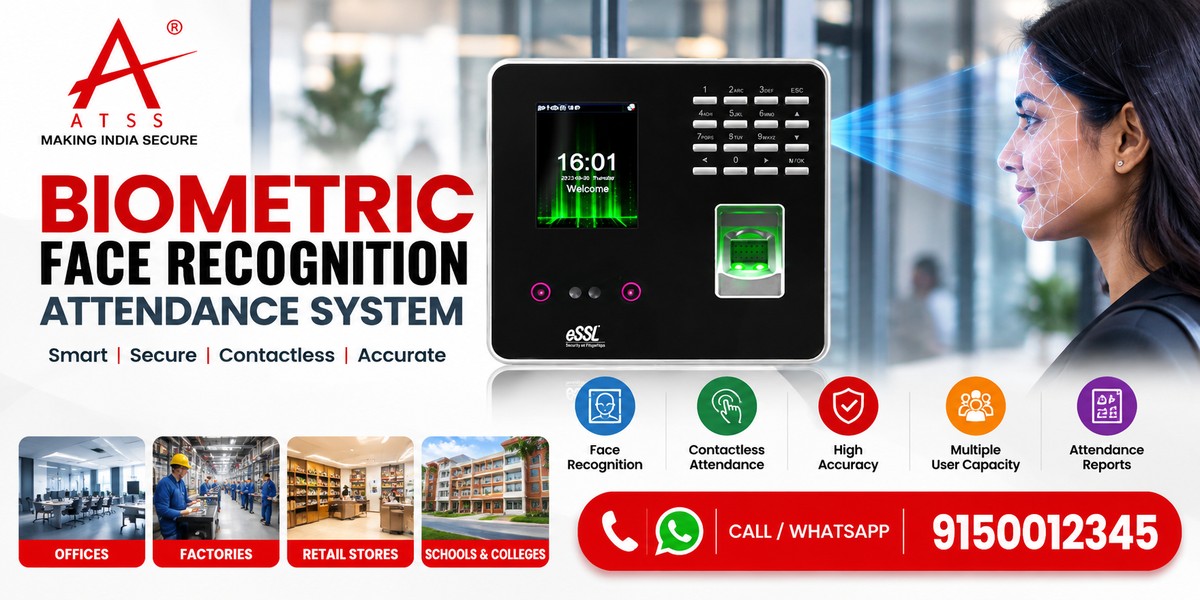
Biometric Face Recognition System: A Guide for Offices and Businesses in Chennai
Managing employee attendance manually or relying on outdated punch-in methods can create avoidable administrative work. Employees may forget their cards, attendance records may require corrections, and HR teams may spend valuable time verifying entries.
For businesses in Chennai, the right system should do more than recognise a face. It should fit the workplace, manage attendance accurately, protect employee data and work with the organisation’s existing processes.
What Is a Biometric Face Recognition System?
A biometric face recognition system uses facial characteristics to verify or identify a person against enrolled facial data.
In an attendance application, employees first enrol through an approved registration process. The device then captures an image or facial data during a check-in or check-out attempt and compares it with the enrolled record.
If the system successfully matches the person and the device is configured for attendance, it can record the event in the attendance software.
Depending on the product, a face recognition biometric system may provide:
- Employee attendance recording
- Check-in and check-out management
- Attendance reports
- Shift and schedule support
- Access control integration
- Multiple-user management
- Data export or software integration
However, available features vary by manufacturer and model. Therefore, check the product specifications before choosing a device.
How Does a Face Recognition Biometric Attendance System Work?
Most systems follow a simple process.
1. Employee enrolment: An authorised administrator registers the employee and creates the required biometric record.
2. Face capture: The device captures the employee’s face during an attendance or access attempt.
3. Matching: The system compares the captured information with enrolled facial records using its recognition technology.
4. Verification or identification: If the system accepts the match, it processes the event according to its configuration.
5. Attendance recording: The device stores or transmits the attendance event to compatible software.
6. Reporting: HR or authorised administrators review attendance records, exceptions and reports.
Some devices support liveness detection or anti-spoofing features intended to reduce attempts using photographs or other presentation methods. However, these capabilities vary, so verify them rather than assuming every device includes them.
Key Benefits of a Biometric Attendance System With Face Recognition
A suitable system can improve routine attendance management when the organisation configures it correctly.
1. Faster Attendance Recording
Employees can record attendance without carrying a physical card or remembering a PIN, provided the system supports facial recognition as the chosen authentication method.
2. Reduced Card-Related Issues
Face-based attendance can reduce problems associated with lost, forgotten or shared attendance cards. Nevertheless, administrators still need procedures for enrolment, corrections and exceptions.
3. Centralised Attendance Reports
Compatible software can consolidate attendance records and help HR teams review late arrivals, early departures, working hours and other configured attendance rules.
4. Support for Larger Workforces
Depending on the device and software capacity, businesses can manage multiple employees, departments and shifts. Always confirm the supported user capacity before purchasing.
5. Integration With Access Control
Some devices can work with compatible door controllers and access control systems. This can help organisations coordinate employee identification, attendance and authorised entry.
6. Less Manual Administration
Automated recording can reduce repetitive data entry. However, HR teams should still review exceptions, incomplete records and policy-related adjustments.
Face Recognition Biometric Attendance System Price: What Affects the Cost?
The biometric face recognition system price depends on the device’s features, user capacity, software requirements and installation scope.
There is no single price that suits every organisation. Compare the complete solution rather than looking only at the terminal price.
| Pricing factor | What to check |
|---|---|
| User capacity | Maximum enrolled users and transaction storage |
| Recognition features | Recognition speed, operating conditions and liveness detection |
| Display and interface | Screen size, user prompts and ease of use |
| Connectivity | Ethernet, Wi-Fi or other supported interfaces |
| Attendance software | Included features, licences and recurring charges |
| Access control | Relay outputs, controller compatibility and door hardware requirements |
| Integration | Compatibility with existing HR, payroll or attendance software |
| Installation | Mounting, cabling, configuration and commissioning |
| Support | Warranty, training and after-sales service |
Before requesting a quotation, identify the number of employees, the number of attendance locations, shift requirements and any integration needs.
This information helps the supplier recommend an appropriate configuration and provide a more useful estimate.
Face Recognition Attendance System vs Fingerprint Attendance System
Both technologies can support attendance management. The right choice depends on the working environment, employee requirements and device capabilities.
| Feature | Face recognition | Fingerprint |
|---|---|---|
| Authentication method | Facial characteristics | Fingerprint characteristics |
| Physical contact | Usually contactless | Requires finger contact with the sensor |
| Common consideration | Lighting, face positioning and camera performance | Finger condition and sensor quality |
| Hygiene considerations | No finger contact with the reader | Shared sensor requires regular cleaning |
| Installation | Requires suitable mounting and capture conditions | Requires suitable reader placement |
| Best choice | Depends on environment and workflow | Depends on environment and workflow |
Neither technology is automatically superior in every situation. For example, face recognition may suit a workplace that prefers contactless attendance. A fingerprint device may suit a site where fingerprint enrolment and reader performance meet operational needs.
For demanding environments, assess both technologies under actual working conditions before making a decision.
How to Choose a Face Recognition Biometric System for Your Business
Selecting a device requires more than comparing product brochures. Start with your organisation’s operational requirements.
For Offices and Corporate Workplaces
Consider employee capacity, shift management, attendance reports, network connectivity and integration with HR software.
For Factories and Industrial Sites
Assess the operating environment, device mounting, lighting, dust exposure, employee flow and the time required for shift changes.
For Retail Stores and Small Businesses
Prioritise ease of use, simple attendance reporting, manageable employee enrolment and practical support arrangements.
For Schools and Educational Institutions
Review user management, access permissions, reporting requirements and applicable privacy policies before deployment.
For every application, confirm the device’s supported user capacity, recognition specifications, software compatibility and operating conditions.
Common Mistakes to Avoid When Buying a Biometric Face Recognition System
A device may look suitable on paper but fail to meet operational needs if the organisation overlooks important requirements.
Avoid these mistakes:
- Buying only on price: A lower device price may not include required software, installation or integration.
- Ignoring user capacity: Check both enrolled-user capacity and transaction storage.
- Overlooking lighting conditions: Confirm that the device suits the intended installation environment.
- Assuming every model supports liveness detection: Verify anti-spoofing specifications and testing claims.
- Ignoring software compatibility: Confirm that the system works with the required attendance or payroll platform.
- Skipping a pilot test: Test the device with representative users and actual workplace conditions.
- Neglecting data protection: Limit access to biometric records and establish suitable retention and deletion procedures.
- Failing to plan exceptions: Maintain an authorised process for failed recognition, forgotten enrolment or device downtime.
These checks help reduce avoidable installation and administration problems.
Privacy and Data Protection Considerations
Facial biometric information requires careful handling because it relates to an individual’s identity.
Before deploying a biometric face recognition system, establish clear policies for employee enrolment, data access, retention and deletion. Explain the purpose of collection and provide appropriate notices.
Also consider:
- Who can access or administer biometric records.
- How the device and software protect stored and transmitted information.
- Whether the system supports secure administration and access logs.
- How long records will be retained.
- How employees can report recognition problems.
- What alternative attendance procedure applies when the device is unavailable.
Organisations should review applicable Indian data-protection requirements and obtain appropriate legal or compliance guidance where needed. Avoid collecting more personal data than the attendance purpose requires.
Expert Recommendation: Choose the Complete Attendance Solution
A biometric device is only one part of an effective attendance process.
Before selecting a model, document the number of employees, shift patterns, reporting requirements, connectivity, software integration and installation environment.
Next, compare devices against those requirements and confirm the complete cost, warranty and support arrangements. Where possible, test the selected model before deploying it across multiple locations.
A properly planned system can support more consistent attendance recording and simplify HR administration. However, results depend on suitable equipment, correct configuration and well-defined workplace procedures.
Frequently Asked Questions
1. What is a biometric face recognition attendance system?
It is an attendance solution that uses facial recognition to identify registered employees and record supported check-in or check-out events through compatible hardware and software.
2. What is the price of a face recognition biometric attendance system?
The price varies with user capacity, recognition features, software, connectivity, installation and support. Request a quotation based on your workforce and integration requirements.
3. Is a face recognition biometric system better than fingerprint attendance?
It depends on the workplace. Face recognition offers contactless authentication, while fingerprint devices use a physical sensor. Compare environmental conditions, accuracy specifications, employee needs and total cost.
4. Can a face recognition attendance system connect to payroll software?
Some systems support export or integration with compatible attendance and payroll applications. Confirm the required software, data format and integration scope with the supplier.
5. Can a biometric face recognition system control doors?
Selected devices support access control directly or through a compatible controller. Check the model’s interfaces and the door hardware requirements before planning an installation.
Conclusion
A biometric face recognition system can help businesses streamline attendance recording, reduce card-related issues and improve reporting when it matches their operational needs.
Before purchasing, compare recognition features, user capacity, software compatibility, privacy safeguards and total installation cost. A professional assessment can help you choose a practical solution for your workplace.
📞 Call ATSS Today
Looking to install biometric face recognition system chennai?
Call / WhatsApp: 9150012345
🌐 www.atss.in
Get a free demo, expert consultation, and best price today.
Face Recognition Attendance System | Biometric Machine For Attendance | ESSL MB160 Biometric Attendance | Fingerprint Scanner Door Lock | Biometric Solutions | Fingerprint Reader Door Lock