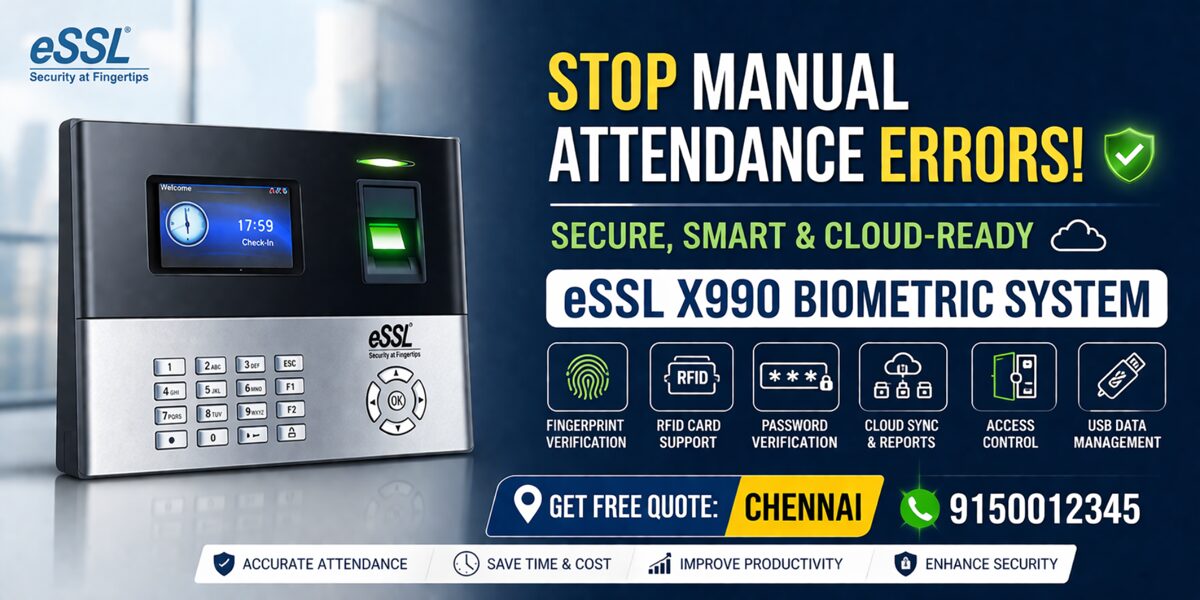
ESSL X990 Fingerprint Attendance Device – Complete Guide (Features, Setup & Usage)
The ESSL X990 Chennai is a biometric fingerprint attendance system designed for secure employee tracking and access control. It supports fingerprint, password, and RFID verification, offers cloud connectivity, and includes advanced features like access control, attendance logs, and real-time data synchronization.
Introduction
Looking for a reliable biometric attendance system in Chennai for your office, factory, or business?
The ESSL X990 Chennai Fingerprint Attendance Device is one of the most powerful and versatile solutions available today. It combines fingerprint authentication, RFID card support, cloud connectivity, and access control features into a single smart device.
Whether you run a small office or a large enterprise, this device helps automate attendance tracking, improve security, and reduce manual errors.
This blog explains everything—from features and working to setup, configuration, and benefits—based on the official manual .
What is ESSL X990?
The ESSL X990 is a biometric attendance and access control system that uses fingerprint recognition to identify users and record attendance.It is a “Fingerprint Attendance Device” designed for secure and efficient workforce management .
How ESSL X990 Works
🔍 Verification Modes
The device supports multiple authentication methods:
1️⃣ Fingerprint Verification (1:N)
- Compares fingerprint with all stored data
- Fast and automatic identification
- Most commonly used method
2️⃣ Fingerprint Verification (1:1)
- User enters ID + fingerprint
- Used when recognition is difficult
3️⃣ Password Verification
- User enters ID + password
- Backup authentication method
4️⃣ RFID Card Verification
- Swipe card to mark attendance
- Optional fingerprint + card combo
Fingerprint Usage Guidelines
To ensure accuracy:
✅ Use index, middle, or ring finger
❌ Avoid thumb or little finger
✅ Place finger flat and centered
📌 Improper placement causes errors like failed verification
User Management System
The X990 allows full control over employee data.
Key Features:
- Add new users
- Assign user ID (1–9 digits)
- Set names (up to 23 characters)
- Assign roles (Admin / User)
- Register:
- Fingerprint
- RFID card
- Password
📌 All user data can be added, modified, or deleted easily
User Roles & Permissions
👑 Super Admin
- Full access to all features
👤 Normal User
- Only attendance authentication
⚙️ Custom Role
- Configurable permissions
📌 Role-based access improves security and control
Communication & Connectivity
ESSL X990 supports multiple connectivity options:
🌍 Ethernet (LAN)
- Default IP: 192.168.1.201
- TCP Port: 4730
- Used for PC/software connection
📡 Wi-Fi
- Wireless connectivity
- Easy integration with existing networks
📶 Cellular Network
- Supports GPRS / 3G data transmission
☁️ Cloud Server (ADMS)
- Real-time attendance sync
- Remote monitoring
📌 These features enable centralized attendance management
Main Menu Features
The device includes a powerful menu system:
- User Management
- Communication Settings
- System Settings
- Access Control
- Data Management
- Attendance Search
- USB Manager
- Work Codes
📌 All operations are accessible via the main menu interface
Attendance Management Features
Key Settings:
- Duplicate punch prevention (1–60 mins)
- Attendance log alerts
- Auto delete old records
- Confirm screen delay
📌 Prevents duplicate entries and ensures clean data
Access Control System
ESSL X990 also works as a door access control system.
Features:
- Door lock control
- Time-based access
- User group permissions
- Anti-passback security
- Duress alarm (emergency trigger)
📌 Only authorized users can unlock doors within allowed time zones
Data Management & Backup
Options Available:
- Delete attendance data
- Backup to USB/device
- Restore data
- Clear admin roles
📌 Ensures data safety and easy recovery
Personalization Options
You can customize:
- Display interface
- Language
- Wallpaper
- Voice prompts
- Shortcut keys
📌 Improves user experience and usability
System Settings
Includes:
- Date & time configuration
- Attendance rules
- Fingerprint sensitivity
- Reset & firmware upgrade
📌 Device can be fully configured as per business needs
Advanced Features
🔄 Cloud Integration
- Real-time data sync
- Remote access
🧾 Work Codes
- Track different job types
💬 Short Messages
- Send messages to employees
🖨️ Printing Support
- Print attendance logs
Where Can You Use ESSL X990?
Perfect for:
- Offices
- Factories
- Schools & Colleges
- Hospitals
- Warehouses
- IT Companies
- Apartments
Benefits of ESSL X990
✔ Accurate attendance tracking
✔ Eliminates buddy punching
✔ Improves security
✔ Saves time & cost
✔ Easy integration with payroll
✔ Scalable for any business
Explain Like I’m 5
Think of the ESSL X990 like a smart machine that:
- Recognizes your fingerprint
- Marks your attendance
- Opens doors if you’re allowed
Just like unlocking your phone—but for your office!
Step-by-Step Setup (Simple Guide)
- Power ON the device
- Open Menu → User Management
- Add new user
- Register fingerprint (3 times scan)
- Connect device to network
- Install software / connect cloud
- Start attendance tracking
Conclusion
The ESSL X990 Fingerprint Attendance Device is a complete solution for attendance management and security control.
With features like:
- Multi-verification modes
- Cloud connectivity
- Access control
- Advanced data management
…it stands out as a top choice for businesses in Chennai and across India.
📞 Need Installation in Chennai?
Call / WhatsApp: 9150012345
Get a free demo, expert consultation, and best price today.
👉 Contact ATSS Chennai for fast, reliable ESSL X990 Fingerprint Attendance Device
Biometric Device | Biometric for Attendance | Attendance Biometric | Access Control | Entrance Control