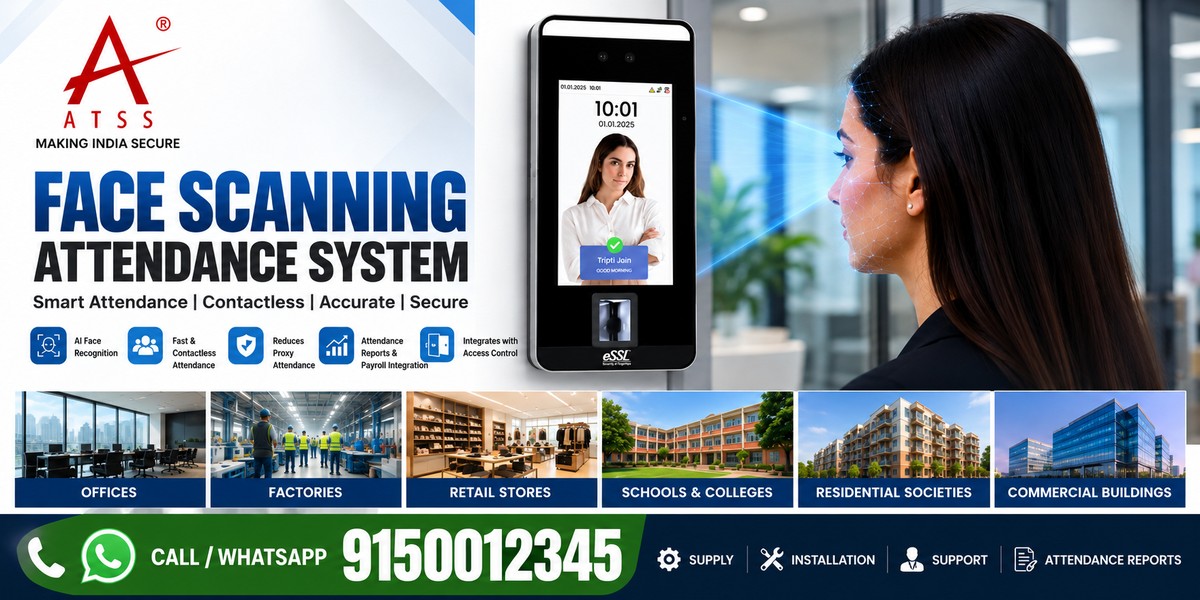
Face Scanning Attendance System: A Practical Guide for Businesses
A face scanning attendance system provides a contactless way to verify employee identity and record attendance. Depending on the model, it can also support shift reports, attendance software integration and access control.
Managing employee attendance can become challenging as a business grows. Manual registers, outdated punch cards and poorly integrated attendance devices can lead to errors, attendance disputes and additional work for HR teams.
For offices, factories, warehouses, retail outlets and educational institutions, selecting the right system requires more than comparing device prices. Businesses should consider employee capacity, recognition performance, software compatibility, installation conditions and data protection.
This guide explains how face scanning attendance works, the features to compare and how to choose a suitable solution for your workplace in Chennai or elsewhere in India.
What Is a Face Scanning Attendance System?
A face scanning attendance system uses facial recognition technology to verify an employee’s identity and record attendance electronically.
The device captures facial information and compares it with previously enrolled biometric data. When verification succeeds, the system records the event according to its configured attendance rules.
Depending on the model and software, the system may support:
- Contactless employee attendance
- In-time and out-time records
- Shift and attendance reports
- Employee database management
- Integration with HR and payroll software
- Door access control
- Network-based data synchronisation
- Anti-spoofing or liveness detection features
Not every device supports all these features. Confirm the manufacturer’s specifications before purchasing.
How Does a Face Recognition Biometric System Work?
A typical face recognition biometric system follows five steps.
1. Employee enrolment
An authorised administrator enrols employees using the device or compatible management software.
2. Facial capture
The biometric face scanner captures the employee’s face using its camera system.
3. Identity matching
The device compares the captured facial information with enrolled biometric records to determine whether the employee matches an authorised identity.
4. Attendance recording
After successful verification, the system records the date and time. Configured attendance rules determine how the event is classified.
5. Reporting and integration
The attendance data can be transferred to compatible software for reports, shift management and payroll processing.
The exact workflow depends on the device, network configuration and software integration.
Benefits of a Face Biometric Attendance Machine
Contactless verification
Employees can record attendance without touching a fingerprint sensor. This can be convenient in workplaces with frequent staff movement.
Better attendance visibility
Digital records help managers review attendance patterns, late arrivals, absences and working hours.
Reduced manual administration
Automated attendance records can reduce repetitive data entry and simplify routine reporting.
Support for shift-based operations
Suitable devices and software can support different shifts, grace periods and attendance policies.
Integration with access control
Compatible systems can combine employee attendance with door access management. This may require a separate controller, lock hardware or additional software.
Centralised reporting
Businesses with multiple branches may benefit from centralised reports when supported by the selected software and network architecture.
Where Can a Face Scanning Attendance System Be Used?
The best system depends on the workplace, employee count and operating conditions.
| Workplace | Important considerations |
|---|---|
| Corporate offices | HR integration, reporting and employee capacity |
| Factories | Shift management, device durability and environmental conditions |
| Warehouses | Network connectivity and high-volume attendance |
| Retail stores | Easy administration and branch-wise reports |
| Schools and colleges | Appropriate access permissions and privacy safeguards |
| Hospitals | Contactless operation and suitable installation placement |
| Commercial buildings | Attendance and compatible access control integration |
For dusty, humid or exposed locations, check the device’s operating temperature and ingress-protection rating. A device intended for indoor use should not automatically be installed outdoors.
Face Scanning vs Fingerprint Attendance
Both technologies can support employee attendance, but their operating requirements differ.
| Feature | Face scanning | Fingerprint attendance |
|---|---|---|
| Identification method | Facial recognition | Fingerprint matching |
| Physical contact | Usually contactless | Requires sensor contact |
| Environmental factors | Lighting, camera angle and facial visibility | Finger condition and sensor cleanliness |
| Shared-device contact | No fingerprint sensor contact | Employees touch the sensor |
| Cost | Depends on model and features | Depends on model and features |
| Software integration | Model-dependent | Model-dependent |
What Determines the Face Recognition Biometric Attendance System Price?
The face recognition biometric attendance system price varies by model and deployment requirements.
Device features
Camera technology, recognition performance, display, authentication options and liveness detection can affect pricing.
Employee capacity
Confirm the maximum number of enrolled users and the device’s attendance-log storage. Allow for future employee growth.
Software and licensing
Check whether attendance software is included, whether licences are recurring and whether remote reporting or multi-branch management costs extra.
Payroll and HR integration
Integration may require compatible software, APIs, additional licences or professional configuration.
Installation requirements
The total project cost may include mounting, cabling, power supply, network setup, employee enrolment and administrator training.
Warranty and technical support
Compare warranty terms, service availability and ongoing support arrangements.
Buyer tip: Request an itemised quotation that identifies the device model, software, installation, integration, warranty and applicable taxes.
How to Choose an Face Biometric Machine
Businesses considering an eSSL face biometric machine should identify the exact model that meets their requirements. Features vary across product ranges, so do not assume every terminal supports the same recognition technology or integrations.
Before ordering, check the following:
- Recognition capability: Verify the documented recognition method and operating conditions.
- User capacity: Confirm the supported employee count and event-log storage.
- Attendance software: Check compatibility with the HR or payroll application you use.
- Connectivity: Confirm the required Ethernet, Wi-Fi, USB or other interfaces.
- Access control: Verify compatibility with the intended controller, lock and exit arrangement.
- Reporting: Confirm support for shift reports, late arrivals and branch-wise attendance.
- Security: Review biometric data storage, administrator permissions and data protection features.
- Support: Confirm installation services, warranty and after-sales assistance.
Ask for the exact model datasheet and a demonstration of the required functions before purchasing.
Common Mistakes to Avoid
Choosing only by price
A low-cost device may not support the employee capacity, reporting or integration your organisation needs.
Ignoring installation conditions
Poor lighting, unsuitable mounting height and strong backlighting can affect facial capture. Assess the installation site before selecting the mounting position.
Assuming all devices include liveness detection
Facial recognition and liveness detection are different capabilities. Verify anti-spoofing features for the specific model.
Overlooking payroll compatibility
A device that records attendance may not integrate automatically with every payroll application. Confirm compatibility before purchase.
Failing to plan for network outages
Ask whether the device stores attendance events locally when the network is unavailable and how records synchronise when connectivity returns.
Ignoring biometric privacy
Restrict administrative access, protect stored data and establish clear retention and deletion procedures.
Privacy and Security Considerations
Facial information is sensitive biometric data. Businesses should plan carefully before deploying a face biometric attendance system.
Recommended practices include:
- Inform employees about the purpose of biometric attendance processing.
- Identify the applicable legal basis and comply with relevant Indian privacy and employment requirements.
- Restrict enrolment and administration to authorised personnel.
- Change default credentials and secure network access.
- Confirm how biometric templates and attendance records are stored.
- Establish retention periods and secure deletion procedures.
- Review vendor policies for cloud storage and remote access.
- Provide appropriate exception procedures where required.
Compliance obligations depend on the organisation, deployment and applicable law. Seek qualified advice where necessary..
Why Consider ATSS for Face Attendance Solutions in Chennai?
ATSS provides electronic security and access control solutions for businesses and commercial premises. When evaluating a face scanning attendance system, the requirements should be reviewed before recommending a suitable device.
The selection process should consider employee capacity, installation conditions, attendance software, access control requirements and future expansion.
Contact ATSS to discuss suitable options, verify model specifications and request a quotation based on your workplace requirements.
Frequently Asked Questions
1. What is a face scanning attendance system?
A face scanning attendance system uses facial recognition technology to verify employee identity and record attendance electronically. Depending on the model, it can support reporting, shift management and access control.
2. What is the price of a face biometric attendance machine?
The price depends on the device model, employee capacity, software, connectivity and installation requirements. Request an itemised quotation based on your workplace needs.
3. Is face recognition better than fingerprint attendance?
Face recognition offers contactless verification, while fingerprint systems require sensor contact. The best option depends on the operating environment, employee needs, performance and cost.
4. Can a face scanning attendance system integrate with payroll software?
Some systems can export attendance reports or integrate with compatible HR and payroll applications. Confirm the software compatibility and any additional integration charges before purchase.
5. Where can I buy an eSSL face biometric machine in Chennai?
Contact ATSS to enquire about suitable eSSL face biometric models, specifications, installation requirements and pricing. Confirm the exact model and availability before ordering.
Conclusion
A face scanning attendance system can help businesses simplify attendance recording, reduce manual administration and improve workforce visibility. However, the right choice depends on employee capacity, operating conditions, software compatibility, privacy and total cost.
Compare the exact device specifications and integration requirements before purchasing. A properly selected and configured system is more useful than choosing a device based on price alone.
📞 Call ATSS Today
Looking to install Face Scanning Attendance System Chennai?
Call / WhatsApp: 9150012345
🌐 www.atss.in
Get a free demo, expert consultation, and best price today.
Face Recognition Attendance System | Biometric Machine For Attendance | ESSL MB160 Biometric Attendance | Fingerprint Scanner Door Lock | Biometric Solutions | Fingerprint Reader Door Lock